
11 of the Best AI Visual Tools for Designing High-Impact Campaign Posters

AI visual tools have replaced the traditional resource-intensive design process with lightning-fast creative playgrounds. They’ve slashed my design times from hours to a few minutes, and with even better results!
They help generate layouts, images, and text almost instantly. The best part is that you don’t have to be experienced to produce neat and professional-looking high-impact posters. Additionally, they’ll help you test and improve your ideas faster, which is crucial in today’s cut-throat marketing space.
In this guide, I’ll walk you through the best AI visual tools to use today and how they’ve changed my campaigns.
1. Adobe Express Poster Maker
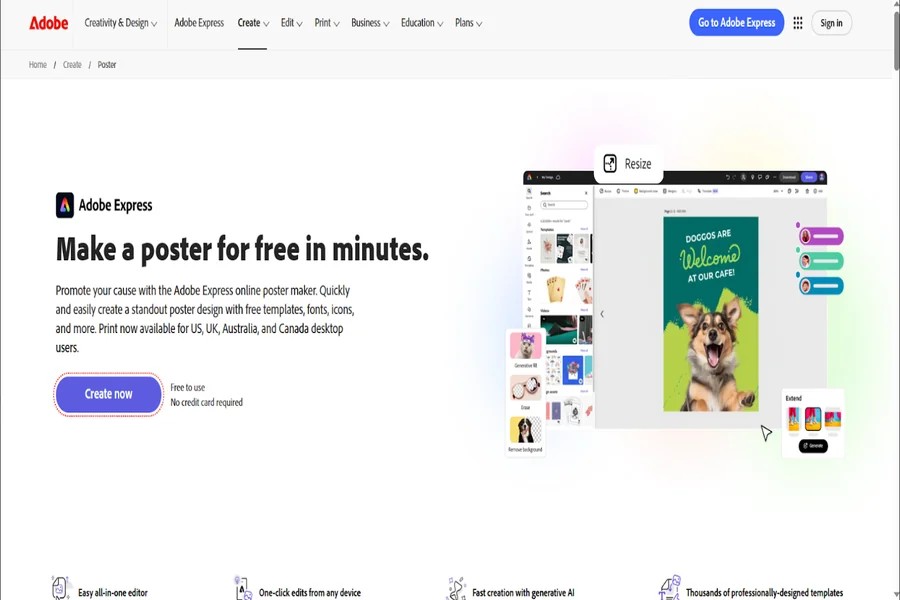
Adobe Express poster maker makes designing posters simple and stress-free while still giving you a professional edge. As one of the more advanced AI visual tools, it combines ease of use with powerful AI features from Firefly.
This poster maker has numerous templates and design elements that let you create multiple poster types. Plus, you can use your own photos if you don’t want to use the available stock photos.
With the free plan, you can generate images, apply text effects, and build layouts. You can then grab a Firefly Individual plan for $4.99 a month to get 100 monthly credits and remove watermarks.
2. Canva Magic Studio
Canva Magic Studio is easily one of the most beginner-friendly AI visual tools I’ve used for designing campaign posters. Its Magic Design feature lets you type a simple prompt to generate images, text, and colors in a full poster layout. The drag-and-drop editor makes it easy to tweak everything without feeling overwhelmed.
I like how it also includes tools like a background remover and auto-resizer, so you can adapt one design for different platforms fast. The free plan is generous, but premium plans, from $15 per month, unlock more templates, assets, and advanced AI features.
3. CapCut
CapCut has grown into more than just a video editor. Its conversational AI lets you chat in plain English to build complete posters with editable layers.
What I like about CapCut over other AI visual tools is that it offers motion elements. These are ideal for posters that need subtle animations for my social media stories. The interface is simple, so you won’t struggle to figure things out.
The mobile app is just as powerful as the desktop version. Most features are free, while some advanced effects and assets are behind a paid plan, costing you from $7.99.
4. Krumzi
Krumzi turns the entire design process into a conversation. Instead of clicking through templates, you simply describe what you want, and it builds the poster for you. That’s why I consider it one of the most intuitive AI visual tools for beginners who feel overwhelmed by traditional editors.
Krumzi’s interface even doubles as an AI copywriter to suggest better headlines for your campaign. The tool focuses on speed, effectively compressing an hour-long design process into just 30 seconds. You can start with a 7-day free trial, then upgrade to paid tiers from $9 per month.
5. Microsoft Designer
Microsoft Designer is one of the simplest and most powerful AI visual tools, using DALL·E to turn descriptions into posters in seconds. You just enter a prompt, and it gives you multiple layout options.
It automatically handles colors, fonts, and structure, so everything looks consistent. The free version works well for most basic needs, especially if you already use a Microsoft account. If you add Copilot Pro, you get more AI generations and deeper integration with other Microsoft tools.
I’ve found that the posters it generates are always high-resolution and perfectly balanced for print and digital use.
6. PosterMyWall
PosterMyWall is designed specifically for marketing, which makes it a strong choice for campaign posters. Among other AI visual tools, it stands out because of its huge 650,000+ easy-to-customize templates.
I like how it also supports animated designs, adding an extra layer of engagement for digital campaigns. Additionally, it lets multiple designers collaborate and can edit a design in real-time.
The free plan lets you explore templates and basic features, though some downloads may include watermarks. Paid plans start at $9.95 per month and unlock high-resolution downloads and more advanced features.
7. Fotor
Fotor is an all-in-one design and photo editing platform, making it very practical. As one of the more balanced AI visual tools, you create posters that look polished without needing separate editing software.
I’ve found it especially useful when working with images, since it enhances photos automatically. Moreover, you can create an entire campaign series at once thanks to its smart batch processing feature.
You can remove backgrounds, adjust lighting, and add text all in one place. The free version includes basic AI-powered tools and limited AI credits, which is enough to get started. Upgrading, $8.99 per month, gives you access to more advanced editing features and higher-quality exports.
8. Visme
Visme is ideal if you want your posters to look structured and professional. It’s one of the AI visual tools that I use for presentations, reports, and branded campaigns.
You can generate designs from prompts, then refine them with templates and customization options. It also supports interactive elements, making it useful for digital campaigns. You can even upload your own brand kit or use their Brand Wizard to ensure every design stays perfectly on-brand.
I love the built-in analytics that show you exactly how people are interacting with your digital posters. Past the free plan, you can upgrade to the paid plans, from $29 a month for more assets, storage, and advanced tools.
9. Piktochart AI
I’ve seen Piktochart AI work really well for workshops, reports, and awareness campaigns where clarity is your top priority. It keeps your design organized, so your message doesn’t get lost.
The drag-and-drop editor makes it very easy to personalize templates and swap out design components. I’ve noticed that the final image quality is always high, whether you’re printing it out or sharing it on social media.
The free plan includes limited AI credits, while the Pro plan costs $14 per month and gives you 500 monthly credits.
10. Design.com
Design.com is a strong all-in-one option that lets you generate brand-aligned posters alongside things like business cards. It’s great for small businesses because it automatically matches your logo and colors for instant professionalism. I like that it suggests multiple variations of a design so you can pick the most ideal.
You can test it for free or choose the paid plans, starting from $15 per month for unlimited high-quality generations. It even has tools for domains and websites to help you evolve.
11. Ideogram
Ideogram is my go-to choice when typography and clear messaging are absolutely non-negotiable. This tool excels at rendering perfectly readable text, which is something many other generators still struggle with.
It’s best for announcement or advocacy posters where you need a bold headline that pops visually. I like how easy it is to export your work and quickly improve designs by changing your prompts.
You can start with the free plans, while upgrading to premium plans will cost you $15–$20 per month for better results.
Conclusion
I’ve seen inexperienced designers fail due to poorly designed posters. But with these AI visual tools, creating attention-grabbing posters has never been easier.
Each brings something different, but they all make the poster design process less stressful and more creative and fun. You don’t have to master all of them, though. Just find one or two tools that work for you and grow from there.