
Best Free TV Remote App for iPhone: How TVRem Turns Your Phone Into a Remote
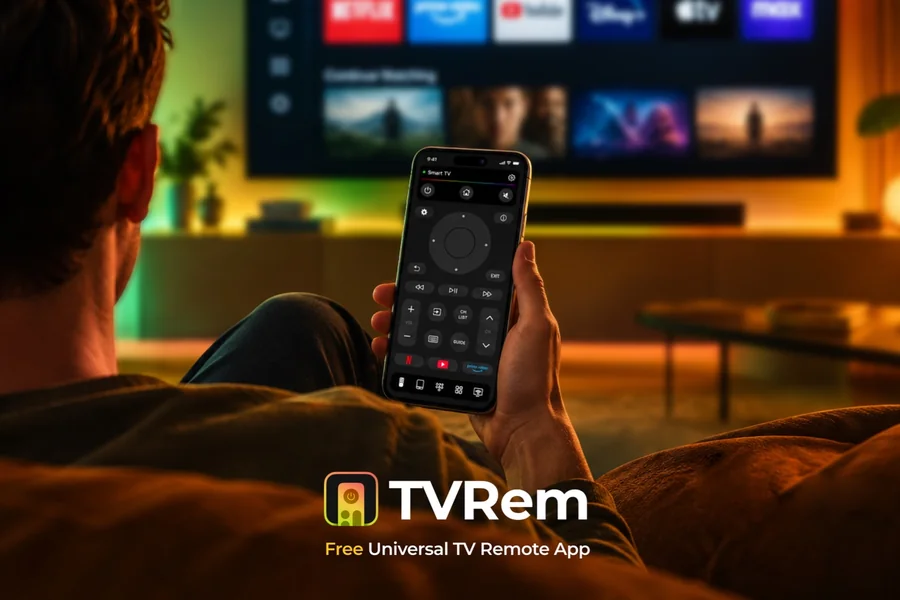
Losing a TV remote is one of those small problems that can become surprisingly annoying. The remote may be somewhere under the couch, in another room, or simply out of battery. And with modern Smart TVs, there are often even more buttons and menus to deal with.
Fortunately, an iPhone can replace a traditional remote in many situations. A number of apps can connect your phone to a Smart TV and provide basic controls such as volume, playback, navigation, and app launching.
One option worth considering is TVRem, a free universal TV remote app for iPhone and iPad. Instead of carrying another physical remote, it lets users control compatible Smart TVs directly from their phone.
What Makes a Good TV Remote App?
A TV remote app needs to do more than simply provide virtual buttons. The most useful apps make everyday TV navigation easier without adding unnecessary complexity.
There are several things worth looking for:
- Easy connection with the TV
- Support for popular Smart TV platforms
- Volume and playback controls
- Convenient navigation
- A way to enter text quickly
- Reliable connection over the local network
- No complicated additional hardware
This is where phone-based remotes can have an advantage over traditional controllers. Your smartphone is usually already nearby, and its touchscreen can provide additional ways to interact with the TV.
TVRem: A Free Remote for iPhone
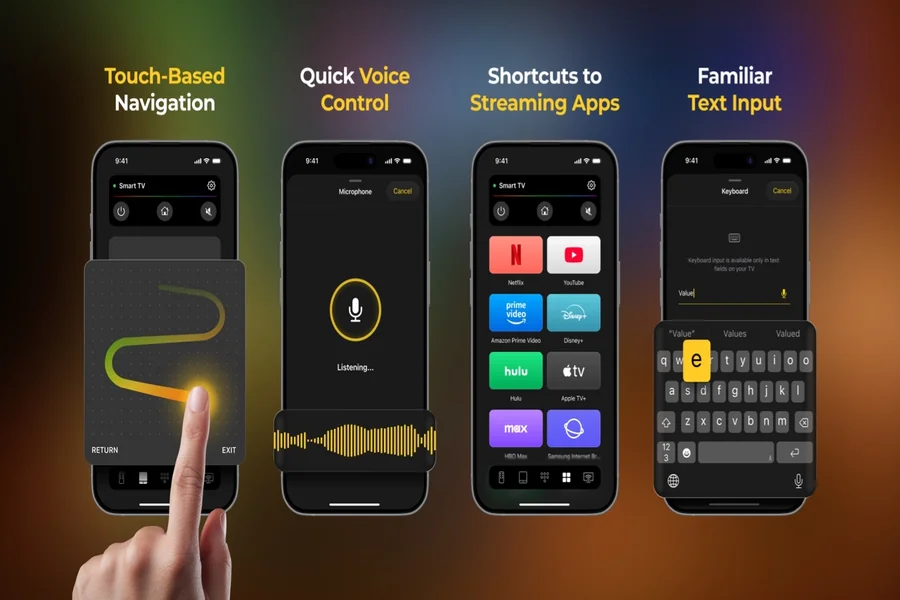
TVRem is designed to turn an iPhone or iPad into a universal remote for compatible Smart TVs. The app works over Wi-Fi, so there is no need for an infrared accessory or a separate physical device.
Users simply install the app, connect their iPhone and TV to the same Wi-Fi network, and select the TV they want to control. The app can then be used for everyday functions such as changing the volume, navigating menus, controlling playback, and opening supported TV apps.
You can learn more about how the app works on the TVRem Universal TV Remote guide.
A Keyboard Can Be More Useful Than It Sounds
One of the less obvious advantages of using an iPhone as a TV remote is the keyboard.
Typing with a traditional TV remote can be frustrating. Searching for a movie or entering the name of an app often means moving through letters on the screen one by one.
TVRem allows users to enter text using the keyboard on their iPhone instead. This can make searching for movies, shows, channels, and apps considerably faster.
For anyone who regularly searches for content on a Smart TV, this can be one of the more practical features of a phone-based remote.
Touchpad Navigation
TVRem also offers touchpad-style navigation. Instead of relying entirely on directional buttons, users can swipe and tap on their iPhone to move through the TV interface.
This approach may feel more familiar to people who spend a lot of time using smartphones and tablets. It can also make navigating menus and selecting items feel less cumbersome.
The app combines traditional remote controls with touchscreen gestures, giving users different ways to interact with their TV.
Launch Streaming Apps From Your Phone
Modern TVs are increasingly used as streaming devices, so opening apps is another important part of the remote experience.
TVRem can provide quick access to supported Smart TV applications, allowing users to launch services such as Netflix, YouTube, and Prime Video directly from the remote interface.
This is particularly convenient when several streaming services are installed on a TV and users want to get to their preferred app without navigating through multiple menus.
Voice Control
Another feature available with TVRem is voice control on supported setups. The app can work with Google Assistant or Alexa where those services are available.
There is also voice input for entering text, which can be useful when searching for content. Instead of typing a long movie title with an on-screen TV keyboard, users can use their phone to enter it more naturally.
Voice functionality depends on the TV and connected services, so it is worth checking compatibility before relying on it.
What TVs Does TVRem Support?
Compatibility is one of the most important things to check before installing any TV remote app.
TVRem supports a range of Smart TV platforms and streaming devices, including Samsung, LG, Roku, Fire TV, Android TV and Google TV, as well as other compatible models. The official compatibility information also lists devices from brands such as Sony, TCL, Hisense, Philips, Toshiba, Panasonic and others.
Because compatibility can vary by TV model and operating system, users should check their particular setup if they are unsure whether it will work.
How to Use an iPhone as a TV Remote
Getting started with TVRem is relatively straightforward:
- Download TVRem.
The app is available for iPhone and iPad through the App Store. - Connect both devices to Wi-Fi.
Your iPhone and Smart TV need to be connected to the same Wi-Fi network so the app can find the TV. - Open TVRem and select your TV.
Once the compatible TV is detected, follow the connection instructions shown in the app. - Start controlling the TV.
You can then use the virtual controls, touchpad, keyboard, and other available features.
The TVRem app is available on the Apple App Store for iPhone and iPad.
Is TVRem Really Free?
One of the reasons TVRem stands out among TV remote apps is its pricing model. According to the developer, the app is free to download and use, without requiring a subscription.
That makes it a practical option for someone who simply needs a replacement for a missing or inconvenient physical remote without wanting to add another monthly subscription.
Is a TV Remote App Better Than a Physical Remote?
Not necessarily in every situation. A physical remote can still be useful, particularly if the TV does not support Wi-Fi-based remote control or if the TV is not connected to the same network.
However, a phone-based remote has some clear advantages. Your iPhone is likely to be nearby, it does not need disposable remote batteries, and it can provide features that traditional remotes generally lack, such as a full keyboard, touchpad, and voice input.
For Smart TV owners who already use their phone constantly, having the remote available on the same device can simply be more convenient.
Final Thoughts
A missing remote does not necessarily mean you need to buy a replacement. For compatible Smart TVs, an iPhone can serve as a convenient alternative.
TVRem is one of the options worth considering if you are looking for a free TV remote app for iPhone. Its combination of traditional remote controls, touchpad navigation, phone keyboard, app shortcuts, and voice features makes it more than just a digital copy of a physical remote.
For users who want a simple way to control their Smart TV without carrying another device, turning the iPhone into a remote can be a surprisingly useful solution.