
How to Build a Mobile App: A Practical Roadmap From Idea to Launch
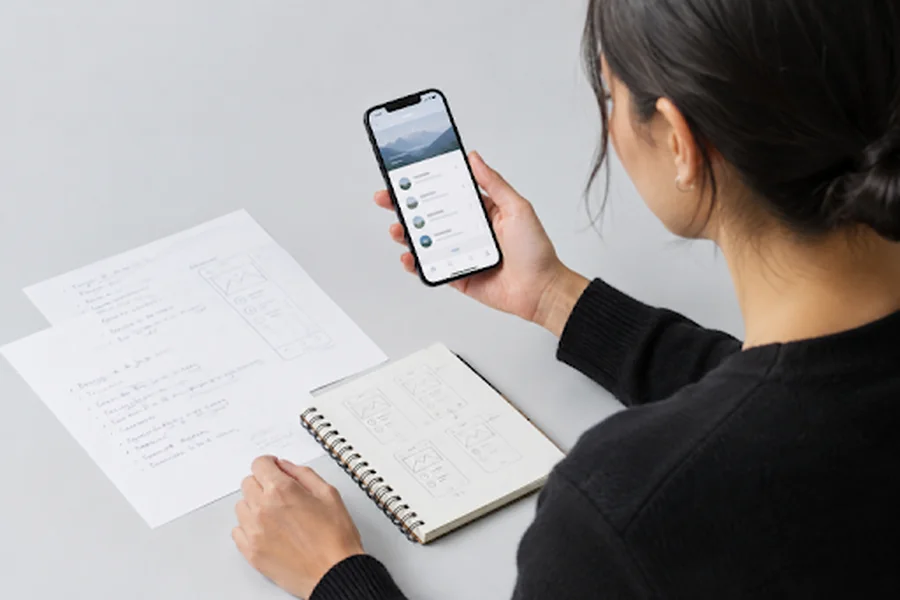
A successful mobile app begins with a clear customer problem, not an oversized feature list. Whether you are a founder, product manager, or small business owner, working with a mobile app development agency can be more productive when you first define who the app serves, what task it improves, and how you will know it is useful.
The goal of a first release is not to predict every future need. It is to deliver one dependable solution, learn from real usage, and make focused improvements. This approach reduces expensive rework and keeps the product centered on the people it is intended to help.
Start With the User Problem
Describe the problem in one sentence before discussing screens or features. For example: “Busy families need a simpler way to coordinate school activities, reminders, and schedule changes.” That statement is more useful than saying, “We want to build a family calendar app.” It gives the team a problem to solve and a standard for judging each proposed feature.
Ask who experiences the problem, how often it occurs, what they do today, and where the current process breaks down. Existing alternatives may include notes, text-message threads, spreadsheets, calendar tools, or manual workarounds. The most valuable opportunities usually appear where people repeatedly spend time, make errors, or feel frustrated.
It also helps to describe the consequence of leaving the problem unsolved. That cost may be lost time, missed information, avoidable expense, or uncertainty during an important decision. A clear consequence helps distinguish a genuine need from a feature that is merely convenient.
A strong product plan also connects development to demand generation. A focused message, landing page, and launch plan can benefit from data-driven digital marketing because customer questions and search behavior may reveal which problems and outcomes matter most to potential users.
Validate Before Building
Validation tests assumptions before substantial design and engineering work begins. Interview people who experience the problem regularly, rather than relying only on supportive friends, coworkers, or investors. Ask about recent behavior: what they did, what they tried, and what they found difficult. Specific examples are more helpful than general opinions.
A Simple Validation Process
- List the assumptions behind the idea, including demand, willingness to switch, and the value of the main workflow.
- Rank them by risk. Test the assumption that could most undermine the product if it is wrong.
- Use interviews, a landing page, a concierge service, or a clickable prototype to test that risk.
- Record recurring themes, objections, and user actions.
- Decide whether to continue, adjust the concept, or stop.
Positive feedback alone is weak evidence. Stronger signals include sign-ups, requests to join a beta, preorders where appropriate, or repeated use of a prototype. People may say an idea sounds useful, but behavior shows whether it fits into their routine.
Keep interview questions neutral so participants do not feel encouraged to agree with the idea. Instead of asking whether they would use a proposed feature, ask them to walk through the last time they handled the problem and explain the steps they took.
Define the First Release
A minimum viable product is the smallest version that solves the core problem well enough for real users to complete a meaningful task. It is not simply an incomplete product with essential steps removed. If families cannot reliably see an activity, receive updates, and confirm details, a coordination app has not yet delivered its main value.
Sort ideas into three groups: features needed for the first useful release, helpful improvements for later updates, and interesting concepts that need more proof. Then map the main journey from opening the app to completing the important task. A release brief should identify the target user, central problem, core action, success measure, and exclusions from version one.
Writing down exclusions is important because it provides the team with a practical way to protect the scope. When a new request appears, compare it with the central problem and core action. If it does not help users complete that action, it can remain in the backlog for later review.
Plan the User Experience
Start with rough sketches, turn the strongest option into wireframes, and create a clickable prototype before building polished screens. Test difficult moments early, such as account setup, payments, scheduling, permissions, or multi-step forms. Finding confusion in a prototype is faster and less costly than finding it after engineering is complete.
Keep the primary action visible, use plain labels, minimize fields, and make mistakes easy to correct. Design for one-handed use when practical, and check text size, color contrast, touch targets, captions, and screen-reader labels. Planning for flexible layouts matters too, because adaptive apps adjust their layouts for changing window sizes, large screens, and different device configurations.
Consistent navigation and predictable feedback also reduce friction. Users should be able to tell what happened after they save a form, submit a request, or complete a payment. Clear confirmation messages, useful empty states, and understandable error messages make the experience feel more dependable.
Choose the Right Technology
Technology should follow product needs, team capabilities, and maintenance plans. Native iOS and Android development can be a strong fit for advanced camera features, Bluetooth connectivity, high-performance graphics, deep operating system integration, or highly platform-specific experiences. Cross-platform development can be useful when the product has similar workflows on both platforms and a shared codebase is valuable.
Compare the expected performance, testing workload, third-party integrations, developer availability, and long-term support requirements. Tools evolve, so avoid choosing a stack solely because it is fashionable.
Document major technical decisions along with the reasons for making them. This makes future maintenance easier, especially when a new developer joins the project or when product requirements change and the team must revisit an earlier choice.
Build With Quality Controls
Testing should happen throughout development, not only during the final week. Use unit tests for individual functions, integration tests for connected systems, usability sessions with real people, and device tests across screen sizes and operating-system versions. Include security reviews for authentication, permissions, data storage, and payments when relevant.
Test realistic conditions: weak connections, interrupted sessions, denied permissions, low storage, outdated devices, and unexpected input. Configure crash reporting and event tracking before release so the team can identify failures and understand where people abandon a key task.
Assign ownership for reviewing quality issues rather than treating testing as a final handoff. A simple process for reproducing defects, setting severity, and confirming fixes can prevent minor issues from becoming recurring customer support problems after release.
Prepare for App Store Review
Prepare store materials early. These commonly include the app name, description, icon, screenshots, support contact, privacy disclosures, age rating, terms where needed, and reviewer test credentials. Check that permissions are justified, subscription terms are clear, account deletion works where offered, and the store listing accurately reflects the app’s current capabilities.
Review the customer-facing copy as carefully as the technical submission details. Screenshots and descriptions should clearly show the main benefit, avoid promises the app cannot deliver, and explain any requirements users need to know before downloading.
A staged launch or limited beta is especially helpful when the product involves complex operations, sensitive data, or a support team that needs time to learn the workflow.
Launch With a Feedback Plan
Launch day begins the learning cycle. During the first month, monitor crashes and failed actions, review support questions weekly, interview a small group of active users, and prioritize issues that prevent completion of the main task. Do not treat every request as a vote. A useful request is one that aligns with the target user, appears repeatedly, and supports the product’s core purpose.
Share feedback across product, engineering, support, and marketing teams so patterns are not isolated in separate tools or inboxes. Combining these insights with expert generative AI SEO can help teams better understand search intent, identify recurring customer questions, and improve the content that communicates the app’s value.
Measure What Matters
Download totals do not show whether an app delivers value. Track activation, completion of the main task, retention after seven and thirty days, paid conversion where applicable, support requests per active user, crash-free sessions, and the time required to complete a key action. Choose one primary measure, then use a small set of supporting measures to explain what is driving it.
Define each event and metric before release so reports are consistent over time. For example, decide exactly what counts as activation and which action represents successful completion. Clear definitions help teams avoid making decisions from numbers that appear similar but measure different user behavior.
Common Mistakes to Avoid
- Building too many features before testing the central idea.
- Selecting technology before mapping the user journey.
- Ignoring administrative tools, customer support, privacy, and security.
- Testing only on recent devices and reliable networks.
- Collecting analytics without clear event names or decisions attached to metrics.
- Measuring marketing reach while overlooking activation, completion, and retention.
Final Roadmap
- Define the user problem.
- Test the riskiest assumption.
- Build the smallest useful release.
- Map and test the main user journey.
- Choose technology based on product requirements.
- Build in testing, security, and analytics.
- Prepare store materials before launch.
- Use feedback and meaningful metrics to guide each update.
A practical app roadmap reduces risk at every stage. Teams that validate early, protect the focus of the first release, and improve based on real user behavior are better positioned to create a product people can trust and continue using.