
Is Stock Illustration Enough to Build a Brand System? A Deep Dive into Ouch
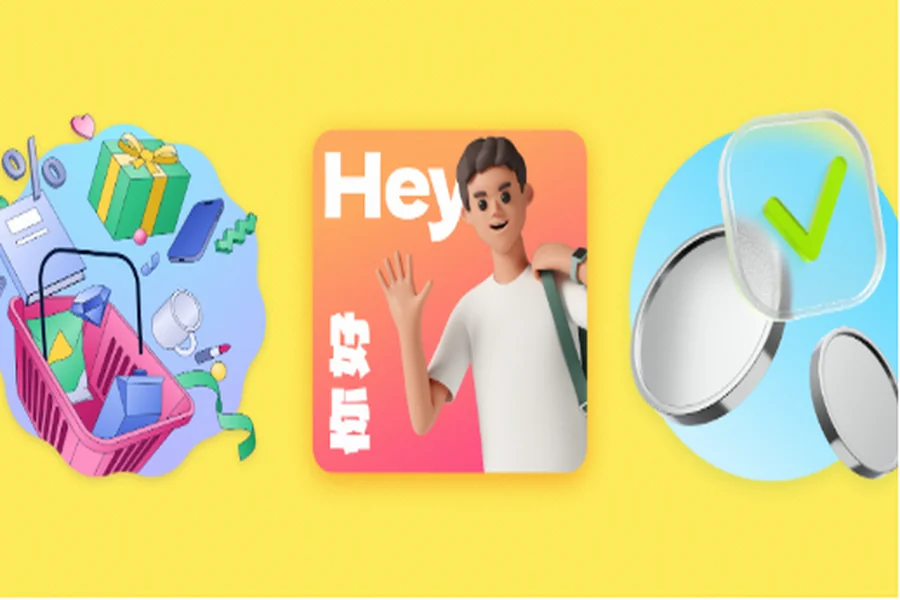
Design teams have historically faced a binary choice: pay thousands for a custom illustrator or rely on fragmented stock sites. The latter usually results in a product that looks like a Frankenstein monster of clashing styles.
Modern digital product teams face a specific question. Can off-the-shelf libraries support a coherent brand system, or is fully custom work the only path to quality?
Ouch by Icons8 positions itself differently. It isn’t just a bucket of images; it’s a style-system generator. After testing the platform across several interface projects and marketing campaigns, the distinction between Ouch and standard aggregators is obvious. It prioritizes consistency across user flows over random volume.
Scaling UI Consistency for Startups
Building the MVP is the hardest phase for any startup. You need a polished look to gain trust, but burning budget on a dedicated illustrator before product-market fit is rarely feasible.
This is where the Ouch library architecture functions differently than a standard search engine.
Take a team building a fintech app. They don’t just need a picture of “money.” They need a visual language that guides a user through onboarding, success states, error messages, and empty states.
A designer selects a specific style from the 101+ available options-perhaps “Business” for a clean look or “3D” for something trendier. Because Ouch organizes assets by style and category, the designer pulls a “Welcome” illustration, a “404 Error” graphic, and a “Payment Success” animation.
They all share the exact same line weight, color palette, and character proportions.
The workflow moves rapidly from browsing to implementation. You download the SVGs (essential for crisp scaling on mobile screens) and embed them directly into the code. If the app uses a dark mode, the vector format lets developers manipulate stroke colors programmatically or via CSS. You maintain visual integrity without generating dozens of PNG exports.
Revitalizing Content Marketing Campaigns
Marketing managers face a different bottleneck: volume. A content calendar often demands five blog posts, a newsletter, and ten social media assets every week.
Using generic stock photos creates “banner blindness.” Users scroll past generic imagery without registering it.
Here is how a content manager uses Ouch to keep engagement high. Let’s say the brand relies on a specific shade of blue and orange. Finding stock illustrations that naturally match this palette is usually impossible.
With Ouch, the manager picks a style that fits the brand voice-maybe something from the “Surrealism” or “Sketchy” collections to stand out in a LinkedIn feed. Before downloading, they use the built-in recoloring tools. They input the brand’s specific hex codes, instantly transforming the search results to match the company identity.
For a newsletter about “Remote Team Collaboration,” they don’t settle for a generic handshake. They find specific scenes of people on video calls or working from home, recolor them, and download high-res PNGs.
Need to combine elements? Putting a specific character next to a specific object happens in Mega Creator, the integrated editor. You compose a unique scene using the library’s searchable objects. That prevents the “I’ve seen that image before” reaction common with free resources.
A Typical Design Workflow
Even with a consistent illustration system, design teams still need to adapt visuals for different contexts landing pages, pitch decks, blog headers, and social posts all have different size requirements. Small inefficiencies at this stage can slow down otherwise fast workflows. Having reliable solutions for how to resize a photo helps teams quickly adjust assets without breaking visual consistency or pulling designers into unnecessary rework, keeping momentum high across both product and marketing outputs.
Let’s look at a standard task for Kael, a presentation designer at a mid-sized agency, to see the practical utility.
Kael opens the Pichon desktop app, which syncs with the Ouch library. He is building a pitch deck for a logistics client and needs to visualize “cutting operational costs.” He types in his search terms. He finds a specific scissors clip art vector that fits the metaphor perfectly.
Because he is working in a specific style called “Color,” he filters the results to show only matching assets. He drags the vector directly from the desktop app onto his canvas. It lands as a fully editable object.
He realizes the handle of the scissors clashes with the slide background. He ungroups the vector, changes the handle color to the client’s secondary brand color, and locks it in.
Later, he needs an animation for the final “Thank You” slide. He switches the filter to “Animated,” finds a waving character in the same style, and downloads the Lottie JSON file to embed in the web version of the presentation.
The whole process took four minutes. The visual language remained unbroken.
The Competition: Where Ouch Fits In
The illustration landscape is crowded. Ouch occupies a specific middle ground.
unDraw
unDraw is the closest direct competitor regarding “systems.” It is free and open-source, which is unbeatable for zero-budget projects. But there is a downside: ubiquity. The “purple flat design people” from unDraw appear on thousands of startup landing pages. It signals “bootstrapped” immediately. Ouch offers significantly more variety with 15 trendy styles and 44 3D styles. Your site won’t look like a template.
Freepik
Freepik is a volume monster. If you need a hyper-realistic vector of a golden retriever, go there. But Freepik aggregates thousands of different artists. Finding five images that look like they belong to the same brand family is an exhausting treasure hunt. Ouch sacrifices total volume for stylistic coherence.
Custom Illustration
Hiring a freelancer or agency offers the ultimate exclusivity. You own the copyright, and the style is uniquely yours. But this creates a dependency. Every time you need a new 404 page or blog header, you have to email the illustrator, negotiate a fee, and wait for a turnaround. Ouch allows for immediate self-service.
Limitations and When to Look Elsewhere
Ouch solves the consistency problem, but it isn’t a magic bullet for every scenario.
The library is vast-28,000+ business illustrations and 23,000+ technology illustrations-but it is finite. If your product requires highly niche technical diagrams or specific biological renderings, you won’t find them here. You might find “doctor” or “pill,” but you won’t find “mitochondrial division in a eukaryotic cell.”
While the “Free” tier is generous, it requires link attribution. For professional commercial projects, client work, or clean UI design, that requirement is often a dealbreaker. This is effectively a paid tool for serious designers.
The 3D assets are high quality (FBX and MOV formats), but they are pre-rendered or pre-modeled. If you need to rig a character for a custom video game animation, buy a rigged model from a dedicated 3D marketplace or model it from scratch.
Practical Tips for Power Users
Follow these practices to get the most value out of the platform:
- Commit to One Style: Don’t mix “3D Business” with “Flat 2.0.” Pick one style name and stick to it across your entire digital presence. This mimics the effect of a custom brand illustrator.
- Utilize the SVG: Even if you only need a PNG for the web, download the SVG if you are on a paid plan. It lets you remove elements. If an illustration includes a background element you don’t want, simply delete that layer in any vector editor.
- Check the Animation Formats: Building for mobile apps? Look for styles that support Lottie or Rive. These lightweight code-based animations perform better than GIFs or video files.
- Use the Desktop App: The Pichon app is faster than the browser. Dragging and dropping directly into tools like Figma, Photoshop, or PowerPoint saves significant time during the drafting phase.
Ouch bridges the gap between generic stock repositories and expensive custom work. It provides enough depth in its specific styles to help companies build a convincing, consistent brand narrative without ever picking up a stylus.